Top AI Tweet Generators for Faster and More Engaging Posts
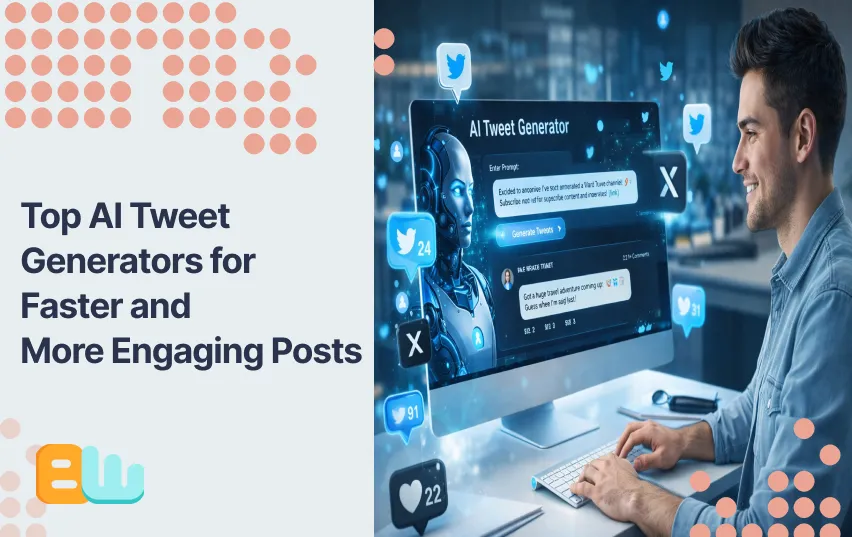
Coming up with Tweet Ideas every day sounds easy but if you want highly engaging tweets that help you raise your account, it will quickly become a tiring chore.
If you manage social media (or you’re brand-new and already overwhelmed), writing tweets consistently can feel like a daily creative workout with no warm-up. That’s exactly where AI tweet generators come in.
In this guide, you’ll learn:
- what AI tweet generators are
- how these generators work
- which tools are worth your time in 2025
- how to use them without sounding robotic.
You’ll also see how they can help you post faster, test more ideas, and improve impressions and engagement, without losing your brand voice.
What Is an AI Tweet Generator (and How Does It Work)?
An AI tweet generator is a tool that uses generative AI to help you write tweets, threads, hooks, and variations based on a prompt, keyword, or piece of content. Instead of staring at a blank box, you start with a draft, then refine it.
At a high level, these tools work by:
- Analyzing patterns from millions of high-performing posts
- Using prompts to understand tone, topic, and intent
- Generating tweet-length copy optimized for clarity and engagement
Most modern AI tweet generators can do far more than spit out one tweet. They often include thread builders, tone controls, scheduling, remixing, and analytics suggestions.
Common ways people use AI tweet generators:
- Brainstorming tweet ideas when creativity is low
- Writing strong hooks for threads
- Creating multiple variations for A/B testing
- Repurposing blogs, videos, or newsletters into tweets
- Maintaining a consistent posting cadence
Used correctly, AI doesn’t replace your voice, it accelerates it.
Why Social Media Managers (and Beginners) Should Care
Whether you manage one brand or ten, time is always the bottleneck. AI tweet generators help remove friction from the most repetitive part of the job: drafting.
Here’s why they matter:
- Speed: What used to take 20–30 minutes can take 2–5
- Consistency: You can maintain daily posting without burnout
- Experimentation: Generate 5–10 variations and test what sticks
In 2025, a majority of marketers report using AI daily for content creation, and social media is one of the top use cases. Not because AI guarantees virality but because it increases volume, speed, and iteration.
For beginners, the value is even bigger. AI tweet generators act like a built-in writing coach, showing you what a strong hook, CTA, or thread structure looks like before you internalize it yourself.
Top AI Tweet Generators Compared
Below is a practical comparison of the most popular AI tweet generators used by social media managers and creators today.
| Tool | Best For | Key AI Features | Scheduling | Free Tier | Starting Price (USD) | Standout Feature |
| Hypefury | Creators & growth-focused managers | Tweet + thread generation, hooks, repurposing | Yes | No | ~$29/month | Strong automation + conversions |
| TweetHunter | Idea generation & remixing | Tweet remixing, viral examples, AI drafts | Yes | Limited | ~$29/month | Large tweet inspiration library |
| Copy.ai | Beginners & quick drafts | Tweet templates, tone control, rewriting | Yes | Yes | ~$49/month | Extremely beginner-friendly |
| Jasper | Brands & teams | Brand voice, campaigns, AI workflows | No (native) | Trial | ~$49/month | Brand consistency at scale |
| Typefully | Thread writers | Thread-first editor, AI suggestions | Yes | Yes | ~$12.50/month | Clean writing experience |
Quick Verdicts
- Best for creators: Hypefury
- Best for inspiration: TweetHunter
- Best for beginners: Copy.ai
- Best for agency/brand teams: Jasper
- Best for threads: Typefully
- Best for growth focused accounts: TweetHunter
No single tool is “best” for everyone, the right choice depends on your workflow and goals.
How to Choose the Right AI Tweet Generator
Before picking a tool, ask yourself these questions:
- Do I need threads, single tweets, or both?
- Is scheduling inside the tool important?
- Do I need strict brand voice control?
- Will I collaborate with a team?
- Do I want inspiration examples or just generation?
- What’s my monthly budget?
Choosing the right tool upfront saves time, and prevents tool fatigue later.
Remember that an AI generator is supposed to make your job easier, so it should fit seamlessly in your established work flow or improve your workflow. It is best if your AI tool allows multiple members of your team to collaborate and exchange ideas or if they can connect to your calendar or scheduling apps.
A Simple 5-Step Workflow: From Idea to Posted Tweet
Here’s a clean, repeatable workflow social media managers use with AI tweet generators:
- Start with a seed idea
Paste a blog snippet, headline, or bullet point into the AI. - Generate multiple variations
Ask for 5–10 versions with different hooks or tones. - Human-edit the best option
Tighten language, add personality, verify facts. - Schedule or post strategically
Add thread numbers, emojis, or visuals if needed. - Track results and iterate
Note which hooks or formats earn higher impressions.
This approach keeps you in control while letting AI handle the heavy lifting.
Measuring Success: Metrics That Actually Matter
AI helps you publish more, metrics tell you whether it’s working.
Key metrics to track on X (Twitter):
- Impressions
- Engagement rate
- Likes, replies, reposts
- Link clicks and CTR
- Follower growth
Quick Metrics Reference Table
| Metric | What It Shows | Why It Matters |
| Impressions | How many people saw your tweet | Reach and visibility |
| Engagement Rate | Interactions ÷ impressions | Content quality |
| Replies | Conversation sparked | Community impact |
| Link Clicks | Traffic driven | Business value |
Focus on popular trends over time, not one-off viral spikes.
Mini Case Studies: AI Tweet Generators in Action
Creator Example (Hypefury)
A solo creator used AI-generated thread drafts combined with scheduled posting. By testing multiple hooks weekly, their average impressions increased steadily while cutting writing time in half.
Result: More consistency, less burnout.
Brand Example (Copy.ai + Typefully)
A small SaaS team repurposed one blog post into a week of tweets and a thread. AI handled first drafts; humans refined tone.
Result: Faster content reuse and stronger message clarity.
AI didn’t replace creativity — it multiplied output.
Tips on using AI generators:
- Generate various options: Ask the AI to give you multiple different hooks and then add your own human touch and pick the most natural sounding one.
- Recycle your content: If you have blogs, videos or newsletters you can just use them again but ask AI to turn the information into a more platform friendly format.
- Add multimedia: Use pictures, videos, gifs or memes to make your content appear more human and authentic.
Conclusion: Should You Use an AI Tweet Generator?
If you write tweets regularly, the answer is yes, as long as you stay in the loop.
AI tweet generators help you:
- Write faster
- Test more ideas
- Stay consistent
- Reduce creative fatigue
Pick one tool, try it for a week, generate 10 drafts, post your best 3, and review the data. That’s how AI becomes an advantage, not a crutch.
Check out our article on AI vs. Human: Can Twitter Bio Generators Create Better Bios Than We Can? for more insight on AI and its impact.
FAQ: AI Tweet Generators
Are AI-generated tweets allowed on X?
Yes. X allows AI-generated content as long as it follows platform rules and doesn’t mislead or spam. Human review is always recommended.
Can AI really make my tweets go viral?
AI improves structure and hooks, but virality depends on timing, relevance, and value. Think of AI as a performance booster, not a guarantee.
Which AI tweet generator is best for beginners?
Copy.ai and Typefully are great starting points due to simple interfaces and helpful templates.
How do I keep my brand voice when using AI?
Use consistent prompts, edit outputs, and save examples of your preferred tone. Many tools allow brand voice settings.
Are there privacy concerns with AI tweet generators?
Yes. Always check whether your content is used for training and review the tool’s data policies, especially for brand or client work.
Should I schedule every tweet?
No. A healthy mix works best: scheduled content for consistency and live replies for real-time engagement.
