Best Email Response Generator That Speeds Up Customer Replies
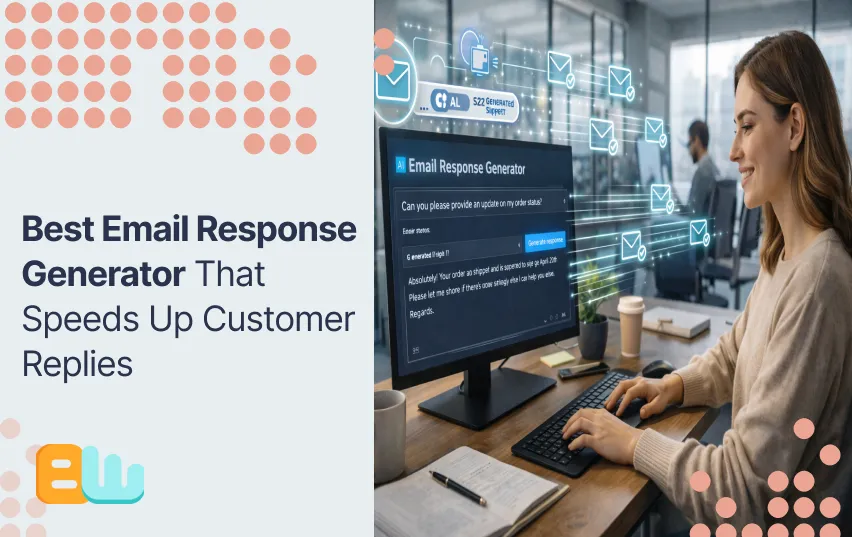
What if your inbox could reply to itself while you sip your morning coffee?
If you are like many US professionals, you spend up to 28 percent of your workweek managing emails. That is more than 10 hours lost per week. Slow replies frustrate customers, miss opportunities, and add stress to your day.
This article shows you how AI email response generators solve that problem. You will learn exactly how these tools work, what their benefits and limits are, and how to use them for your emails.
By the end, you will know:
- how to speed up your replies
- maintain a consistent tone
- improve your productivity
- which emails to automate
We will give you a clear and step by step guide to help you start and set up your own Email response generator today!
What Is an Email Response Generator (and Why It Matters)
An email response generator is a tool powered by AI that helps draft or automate your e-mails. Unlike traditional static auto email responders, the AI responders can take in the context of an email and to craft the best response possible. These responders either rely on templates or use your previous emails to make their own templates that sound the closest to your natural voice.
These tools use NLP and large language models to read your email, detect the tone, and generate a response that fits. They can help you free up some time each week by handling routine messages automatically.
You can do several things depending on the situation:
- Static auto-responders: send pre-written replies to each message.
- Template-based generators – utilize pre-structured templates you customize.
- AI-powered smart responders – build context-aware replies using machine learning.
- Hybrid AI + human review: Combine automation with people edits on sensitive emails.
With the proper tool, you can reduce mental load by answering faster and staying on top of your inbox.
Why Use an Email Response Generator: Email Overload & Time Pressure in the US
US workers spend 2–3 hours a day just reading and replying to emails. That adds up to 10–15 hours per week. Most professionals receive 60–80 emails per day. Slow replies frustrate clients, miss opportunities, and create unnecessary stress. Customers expect answers within hours, not days.
An email response generator helps you manage this load efficiently. It allows you to send faster first replies, reduce your backlog, and free up time for higher-value work. By automating routine responses, you can focus on tasks that directly impact your business or personal goals.
Here is a quick comparison of manual email handling versus AI-powered automation:
| Metric | Manual Handling | AI-Powered Automation |
| Average reply time | 10–14 hours | <1 hour |
| Time spent per week | 6–10 hours | 2–4 hours |
| Consistency of tone | Variable | Consistent, customizable |
| Scalability | Limited | Handles large volume |
Because the repetitive emails are being taken care of by the AI, your email box is now more manageable. You are then able to respond more quickly, keep the response professional, and handle more communication than before without adding to it.
Benefits of Using an AI-Powered Email Response Generator
An AI-driven email response tool gives you a direct benefit in your emails. Now, you can answer your emails in minutes, whereas earlier it used to take hours. Just think about the increased customer satisfaction levels!
The following are the primary advantages:
- Speed & faster response times: The AI writes responses immediately, so your emails come faster too.
- Time Savings & Productivity: You can save hours every week that you would have otherwise spent writing common mails.
- Consistency & tone stability: This means that all messages are consistently professional and free of errors.
- Scalability: It has the ability to process large volumes of mails effortlessly, irrespective of the number of mails that your email
- Reduced Cognitive Load: Less decision fatigue associated with composing repeat responses.
- More effective work-life balance: Prompt answers without extra hours.
- Variety of use: Business emails, customer support, private messages, cold emailing, and follow-ups.
The direct application of AI in automating your emails will enable you to become more productive, reduce your stress, and enable you to answer any email that comes your way without sacrificing decorum.
How AI Email Response Generators Work & How to Use Them
Email generators for AI use NLP and large language models to read and understand your email. They determine what the message contains, identify tone, and produce responses based on these observations.
Unlike other tools that use templates with relatively simple programming but a rigid framework, AI solutions enable a more customized message based on your experience. Responses become meaningful and appropriate when sent automatically.
Here’s a step-by-step guide on how you can utilize an AI email assistant:
- Paste or forward the incoming email into the tool.
- Define your response goal: is it providing information, saying thank you, scheduling a meeting, or following up on an issue?
- Choose the tone and style: you can pick between formal, casual, or empathetic.
- Add extra instructions or personalization if needed.
- Generate a draft automatically.
- Review and edit for accuracy, tone, and personalization.
- Send or schedule the reply.
- Save templates for repeated use to save time on future emails.
Best use cases include:
- Routine or repetitive emails
- Customer support acknowledgements
- Outreach or cold emails
- Internal confirmations and notifications
What to avoid?
- Automating sensitive or complex emails
- Automating emotional or high-stakes communication.
These require a human touch to maintain trust and clarity.
Following these steps, you can:
- Respond faster
- Reduce email stress
- Keep a professional tone
Common Limitations & Risks
AI email response generators are useful, but they are not perfect.
Automation = speed, but sometimes at the expense of personality and control.
Below are the biggest risks you should watch out for:
- Generic or robotic tone: Replying to each inquiry via automated replies can seem generic if not tailored..
- Misinterpretation of nuance or context: An AI could misinterpret sarcasm or humor.
- Lack of authenticity and human touch: Over-reliance can result in robotic-sounding emails.
- Privacy and data security concerns: There are some private details that require safeguarding when using AI tools.
- Over-automation risk:This risk could lead to the lack of engagement with messages.
- Setup and maintenance effort: AI needs to be trained and updated in order to function efficiently.
- Potential issues with deliverability or compliance: Some automated messages may result in issues with spam filtering or government regulation.
You can minimize those risks by:
- Reviewing drafts before sending them out
- Limiting automation to very routine emails
- Customizing the templates with your voice
Remember AI is best when it supports you, not replaces you. By understanding these limitations you can make your job easier while keeping the same quality.
Choosing the Right Tool & Best Practices
The biggest difference comes by choosing the right AI email response generator. First, check for the following features in the tool:
- AI-powered, dynamic replies: Creates context-aware responses.
- Customization: Adjust tone, style, and email personalization.
- Manual review option: Lets you approve or edit drafts.
- Email platform integration: Works with Gmail, Outlook, or other clients.
- Data privacy and security standards: Protects sensitive information.
- Multi-use capability: Suitable for business, personal, and outreach emails.
To get the most from your tool, follow these best practices:
- Start small: Automate routine emails first.
- Review and personalize drafts: Maintain your voice.
- Use placeholders: Add names or context for clarity.
- Combine AI with human review: Handle sensitive emails carefully.
- Monitor performance: Track time saved and recipient feedback.
- Update templates regularly: Keep replies accurate and relevant.
- Respect privacy: Avoid exposing confidential data.
Here’s a quick decision guide for automation:
- Routine or repetitive emails → automate
- Complex or sensitive emails → manual review
- High-volume, time-sensitive emails → hybrid approach
By choosing the right tool and applying these practices, you can respond faster, reduce stress, and keep your emails professional and reliable.
Conclusion
Email overload is a common challenge. AI email response generators help you reply faster, improve productivity, and reduce stress. Human oversight remains crucial to keep messages accurate and authentic.
Try testing a tool for one week with your routine emails. Track time saved, quality of replies, and recipient feedback. Adjust your approach as necessary.
AI can completely change the way you manage your inbox. It enables you to concentrate on high-value work but still make sure your messages go out on time and in a professional manner. Start small, monitor the results, and watch as automation releases more and more of your time with no loss of control.
Frequently Asked Questions
What is an email response generator vs a basic autoresponder?
An email response generator uses AI while a basic autoresponder sends the same template message to everyone.
Can AI maintain a natural, human-like tone?
Yes.The advanced models can analyze context and use your past emails to sound more natural.
Will automation feel impersonal to recipients?
Any form of automation can feel impersonal if it’s overused. You can personalize templates and review important messages to keep your voice.
