AI Humanizer Free Tools: Transform AI Text Into Human Language
Have you ever read something online and immediately knew it wasn’t written by a human? Well you are not the only one.
In the big age of AI, auto generated content, from posts, videos to emails, essays and articles nothing is safe from that clinical bot like tone. Which is why the need for a human touch and creativity is more present than ever.
According to HubSpot over 80% of marketers use some form of AI writing assistant, which means there are millions of articles, captions and product pages that were created by complex algorithms. This practice does save time and effort but if it is not paired with a human touch; it will only sound like bland, stiff text that won’t help you stand out against the competition.
That’s where an AI humanizer tool comes in. It helps you humanize AI text free, keeping your writing clear, emotional, and real.
In this guide, you’ll learn:
- The best free AI humanizer tools online that don’t change your meaning
- How to convert AI text to human language for SEO and reader engagement
- Easy ways to adjust tone and style for a more authentic feel
By the end of this article you will know exactly how to paint your AI generated content 100% human looking.
What Is an AI Humanizer?
An AI humanizer tool transforms robotic AI text into natural, human-sounding language. It doesn’t just fix grammar or change the words, it also mixes up sentence flows and adds emotional tone to mimic the rhythm of a real conversation.
A great free AI text humanizer online focuses on:
- Syntax variation: mixing sentence lengths and structures.
- Idiomatic tone: adding natural phrases humans actually use.
- Emotional nuance: shaping words to fit mood and intent.
AI Humanizer vs Paraphraser vs Editor:
- AI Humanizer: Makes text sound natural and emotionally real.
- Paraphraser: Rewrites sentences just for variety or to avoid plagiarism.
- Editor: Only corrects grammar, spelling, and punctuation.
Why Humanize AI Text?
AI generated writing fastens the workflow for many professions, from students to marketers and influencers but mechanical and emotionless texts will eventually tire out your audience and turn them away from your content.
With the amount of people now using AI to generate their text, sounding natural is your key to standing out and grabbing attention.
A humanized writing can flow better with a natural rhythm, unique sentences and emotional cues will help you increase your duel time while reducing your bounce rate. Plus, no matter how engineered your prompts are, you are the only one who can consistently showcase your brand voice and start building a connection with your audience.
Top reasons to humanize your AI writing:
- Increase reader engagement and retention.
- Boost SEO through originality and clarity.
- Strengthen your brand’s tone and identity.
- Build trust through transparent AI use.
- Maintain ethical standards in academic and professional writing.
Customizing Tone & Emotional Flow
What makes writing feel human isn’t just the words, it’s the tone.
The way a sentence sounds can change how your reader feels. A good AI humanizer tool doesn’t stop at fixing structure. It helps you shape emotion. It lets you adjust tone and flow, so your text fits your voice and audience perfectly.
Many free AI text humanizer online platforms now include:
- Tone sliders
- Emotion infusers
- Audience targeting
You can adapt your content to any goal, whether it’s a blog post, a marketing email, or a class report.
Here’s how tone can change the meaning:
Before (mechanical):
“Our company provides software solutions to improve workflow efficiency.”
After (professional tone):
“Our software helps teams work faster and focus on what matters most.”
After (conversational tone):
“We make tools that take the boring stuff off your plate, so you can focus on real work.”
Tone personalization is what separates a plain rewrite from a true humanized text transformation. Your audience can feel the intent behind your words. That’s how you make AI-generated content sound real and keep people interested to the end.
Top Free AI Humanizer Tools
Finding the right AI humanizer free tool depends on your needs. Some excel at tone control, others at detection performance or SEO optimization. The Top AI humanizers right now are:
1. QuillBot AI Humanizer
- Overview: blends rewriting and humanization. Focusing on maintaining meaning while improving flow.
- Best for: Students, marketers, and bloggers.
- Detection: Moderate success
- Tone flexibility: Offers seven tone modes from formal to creative.
2. Ahrefs Paraphrasing Tool
- Overview: Offers a clean interface and a focus on content quality.
- Best for: SEO writers, writing for blogs and web copy.
- Detection: Performs well against GPTZero and CopyLeaks.
- Tone flexibility: Basic; best used for professional tone adjustments.
3. Grammarly AI Humanizer
- Overview: Built into its writing suite, ideal for professionals.
- Best for: Business writing, reports, and essays.
- Detection: Excellent.
- Tone flexibility: formal, confident, friendly.
4. Wordtune
- Overview: Humanizes AI text using real-world language patterns.
- Best for: Emails, social captions, and marketing copy.
- Detection: Moderate.
- Tone flexibility: Excellent, adjusts for casual, formal, or persuasive writing.
5. NoteGPT AI Humanizer
- Overview: Turns raw AI outputs into natural, human-readable drafts.
- Best for: Bloggers and content creators.
- Detection: Strong results.
- Tone flexibility: Wide range.
6. Walter Writes AI
- Overview: A Reddit favorite, Walter Writes AI is known for professional and academic-level humanization.
- Best for: Research papers, reports, essays.
- Detection: Excellent stealth performance.
- Tone flexibility: Adjustable tone settings for academic or creative writing.
7. AI Humanizer by SmallSEOTools
- Overview: A free AI text humanizer online option for quick edits and small projects.
- Best for: Beginners testing humanization tools.
- Detection: Basic; works for short-form content.
- Tone flexibility: Minimal.
8. uPass
- Overview: uPass focuses on clarity and brevity, perfect for short-form writing.
- Best for: Short essays, business summaries, web content.
- Detection: Strong performance across major detectors.
- Tone flexibility: Slightly limited, best for formal and academic tones.
9. RewriterPro
- Overview: RewriterPro supports multilingual text humanization with emotional tone enhancement.
- Best for: Global brands and storytellers.
- Detection: Reliable; human-like sentence variety.
- Tone flexibility: Excellent—adds depth and emotion effectively.
Below is a detailed comparison to help you pick the right tool for your content.
| Tool | Pros | Cons |
| QuillBot AI Humanizer | – Reliable paraphrasing- Clear tone options- Plagiarism checker integration | Limited free characters per session |
| Ahrefs Paraphrasing Tool | – Accurate rewording – SEO-friendly phrasing – Fast output | Low word count for free users |
| Grammarly AI Humanizer | – Combines grammar, tone, and clarity tools | Most features locked behind paid plan |
| Wordtune | – High readability- Tone slider- Context-aware rewrites | 10 rewrites per day on free plan |
| NoteGPT AI Humanizer | – Maintains meaning- Multi-tone support- Integrates with ChatGPT | Interface still developing |
| Walter Writes AI | – Smooth readability- Strong detection pass rate | Signup needed for longer documents |
| AI Humanizer by SmallSEOTools | – 100% free- No login- Instant edits | – Limited customization- Lacks nuance |
| uPass | – Clean interface- Reliable detection pass rate | Not ideal for creative writing |
| RewriterPro | – Multilingual- Expressive phrasing- Emotional tone | Needs manual touch-ups for complex tone shifts |
Key Takeaways for Choosing a Tool
Each tool has its strengths:
- QuillBot and Grammarly excel at professional polish.
- Walter Writes AI and RewriterPro shine for academic and creative storytelling.
- SmallSEOTools and uPass are excellent free options for quick edits or short-form content.
- Wordtune and NoteGPT offer flexible tone and audience targeting.
How to Choose the Right AI Humanizer
Choosing the right AI humanizer free tool can make a big difference in your writing. The right tool keeps your text natural, readable, and aligned with your goals. Look for features that support your workflow and protect your content.
Checklist for selecting a tool:
- Accuracy: Has to keep your original meaning without errors.
- Tone control: Offers different tone options.
- Privacy: Does not sell your data and can safekeep it from hackers.
- Export options: Has easy download or integration options.
- Pricing
- Integrations: Works well with the other tools in your workflow like: website, apps and etc.
Red flags to watch for:
- Promises 100% undetectable AI content
- Unclear data privacy policies
- Produces content that can trigger plagiarism warnings.
Always test a tool with a small sample first before using it for your work.
By following this checklist, you ensure your AI to human text converter supports both quality and ethical writing. Choosing carefully protects your content from common pitfalls.
Step-by-Step: How to Humanize AI Text
Humanizing AI text may seem daunting, but a clear workflow makes it simple. Follow these easy steps:
- Generate base AI text
Start with your AI tool of choice. Draft the content quickly, focusing on ideas rather than perfection. - Run through a humanizer
Use a free AI text humanizer online or tool to smooth phrasing, adjust sentence structure, and add natural flow. - Adjust tone and emotion manually
Adjust the sentence to be more warm and make sure the tone fits your brand. - Fact-check and personalize
Verify data like: numbers, names, and claims. Try to add unique bits to make the content yours. - Run SEO and readability checks
Optimize headings, meta descriptions, and keyword placement. Aim for clear, scannable paragraphs. - Review for disclosure and originality
Ensure AI use is transparent if required. Confirm content passes plagiarism checks.
Before / After Example:
Before (AI-generated):
“Our software improves efficiency in workplace tasks. Users report higher productivity when using our system.”
After (Humanized):
“Our software helps teams tackle daily tasks faster. Employees say it frees up time for the work that really matters.”
Using this workflow enables you to humanize AI text in a fast, efficient and most importantly free way.
Time, Quality & Workflow Benefits
Now how would using an AI humanizer, spending time getting used to it, finding the right one and integrating it in your daily routine help you? Aside form the fact that it can help boost your engagement by making your content more human friendly, there are 3 main benefits:
- Time saved
- Improve quality
- Consistency
SEO, Transparency & Ethics
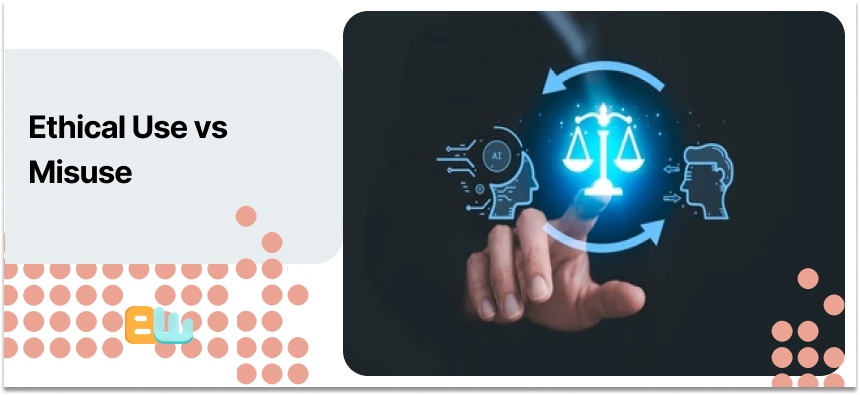
Using a free AI text humanizer online comes with responsibility. Always disclose AI use and verify sources
Pair humanization with citations and fact-checking to maintain authority. Adjust tone and flow to align with your audience while keeping content natural.
Ethical Use vs Misuse
| Ethical Use | Misuse |
| AI-assisted drafts with clear disclosure | Passing AI text as fully human |
| Verified citations and fact-checking | Ignoring fact-checks or sources |
| Tone-adjusted content for audience readability | Overly mechanical text without editing |
| Transparent workflow improves engagement and SEO | Potential plagiarism risks and SEO penalties |
Conclusion
You can easily make readable, natural and engaging content by adding a simple free AI humanizer tool to your workflow. You will save time while improving the tone and flow of your published content.
Alas human oversight should always be present in an AI assisted workflow.
Test different tools to see which one fits your workflow the best and try to combine AI with your own personal touch so your content resonates better with your readers.
So get started now, try the top rates tools and do some before and after experiments to see how much your writing can improve and which tool ultimately works for you.
FAQ: AI Humanizer Free Tools
1. What is the best AI humanizer tool on the market?
- Grammarly AI Humanizer
- Wordtune
- Walter Writes AI
2. Can humanized AI text be detected?
Yes. Tools like Turnitin or GPTZero can sometimes detect AI patterns. Human editing and tone adjustment reduce detectability.
3. Can ChatGPT humanize text?
ChatGPT can rewrite content to sound more natural. Pair it with human oversight or a dedicated AI humanizer tool for better results.
4. How do I humanize my AI content?
- Generate AI text.
- Run it through a free AI text humanizer online.
- Adjust tone, check facts, and review readability.
5. Are free AI humanizers effective for SEO?
Yes. They improve sentence flow, readability, and unique phrasing, which boosts rankings and dwell time.
6. Do I need to disclose AI use?
Yes. Transparency is always the way to go to build long lasting trust with your audience.
