Convert YouTube Videos to Text: Tools, Tips & Transcription Hacks
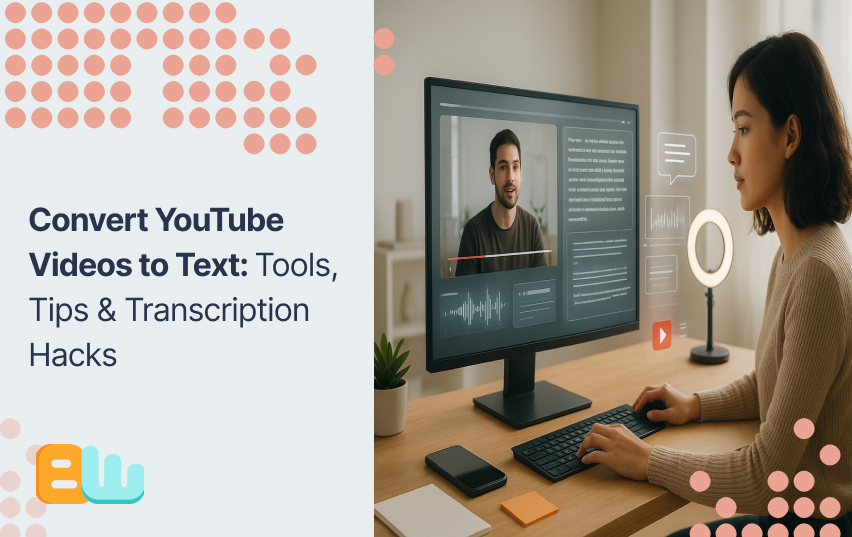
YouTube is the world’s largest video platform, with over 2 billion hours watched daily. But what if you need that content in text form? YouTube video transcription converts spoken words into written text, offering accessibility, improved SEO, and content repurposing opportunities.
Creators, businesses, students, and researchers all benefit, from making videos accessible to non-native speakers to turning one video into blogs, social posts, or newsletters.
In this guide, we’ll explore free tools, premium software, and professional services, step-by-step workflows, and advanced tips to boost accuracy, while covering legal considerations and troubleshooting for a seamless transcription process.
Why Convert YouTube Videos to Text?
Content Accessibility Benefits
Video transcripts make content accessible to people with hearing impairments and comply with legal requirements like the ADA. Transcripts also allow for easy translation, opening your content to global audiences.
SEO and Digital Marketing Advantages
Video transcripts make content accessible to people with hearing impairments and comply with legal requirements like the ADA. Transcripts also allow for easy translation, opening your content to global audiences.
Content Repurposing Opportunities
Transcripts can be turned into blogs, social posts, email newsletters, podcasts, and study guides, maximizing content value with minimal effort. Podcasters and course creators frequently use transcripts to generate supplementary materials.
Research and Educational Applications
Students, researchers, and journalists rely on transcripts for accurate documentation, study aids, and fact-checking. Studies show 65% of learners prefer text-based materials, improving comprehension and retention. Transcriptions also provide a stable, searchable archive that preserves information even if video files are lost or corrupted.
Transcribing YouTube videos therefore enhances accessibility, discoverability, engagement, and content versatility, benefiting creators, educators, marketers, and learners alike.
Free YouTube Transcription Tools and Methods
1. YouTube’s Built-in Auto-Generated Captions
YouTube automatically creates captions for most videos with 70–85% accuracy (best for clear English audio).
How to use it:
- Click “CC” under the video.
- To view or copy the transcript: click the three dots → “Show transcript.”
Supports multiple languages, though English remains most accurate.
Best for quick, free access; not ideal for noisy or multi-speaker videos.
2. Browser Extensions for Easier Transcripts
Extensions like YouTube Transcript or Video Transcript Pro let you:
- View transcripts beside videos
- Export in formats like TXT, DOCX, or PDF
Install from the Chrome Web Store or Firefox Add-ons.
Note: These rely on YouTube’s captions — they don’t improve accuracy but make exporting faster.
3. Manual Transcription (For Maximum Accuracy)
Best for technical or poor-audio videos.
Tips:
- Use good headphones and keyboard shortcuts (spacebar = pause/play)
- Slow playback (0.75x or 0.5x) to catch every word
- VLC Media Player helps loop, slow, and control sections efficiently
Use when precision matters, e.g., research, legal, or academic projects.
4. Google Docs Voice Typing
Use Voice Typing under Tools → Voice Typing in Google Docs.
Play the YouTube video aloud while recording. Accuracy reaches 85–95% with clear audio.
For better results:
- Use a direct audio loop (connect headphone jack to mic input)
- Adjust audio levels to avoid distortion
Best free option for near-real-time transcription.
5. Using ChatGPT for YouTube Transcription
Convert video to audio (MP3/WAV) with an online tool → upload to ChatGPT.
Works well for lectures, interviews, or single-speaker content.
Limitations:
- File size/time caps
- Reduced accuracy for background noise or multiple speakers
Use for short, clean audio when other tools fall short.
Premium YouTube Video-to-Text Software Solutions
1. AI-Powered Transcription Services
For professional, high-accuracy needs:
| Tool | Accuracy & Features | Pricing |
| Rev.com | 99% accuracy, human transcription | $1.25/min |
| Otter.ai | Real-time AI transcription, collaboration tools | From $10/mo |
| Trint | Supports 40+ languages, easy editing | Tiered plans |
| Riverside.fm | Built-in transcription for creators/podcasters | From $15/mo |
2. Professional Transcription Software
These tools offer advanced features for content creators, journalists, and transcription professionals.
Express Scribe
A professional-grade player with foot pedal control, variable speed, and Dragon voice recognition integration.
- Free for basic use; paid version unlocks pro tools.
Best for traditional typists and transcriptionists handling large audio volumes.
Descript
An all-in-one transcription + video editing platform.
- Edit videos by simply editing the text transcript — perfect for creators, podcasters, and marketers.
Revolutionary for non-technical users who edit both text and video.
Transcribe Wreally
Web-based, no installation needed.
- Supports multiple file types, real-time collaboration, and pay-per-minute pricing.
Ideal for teams and freelancers needing lightweight, flexible access.
ROI Insight: Creators typically recoup transcription costs within 2–3 months through better SEO, accessibility, and content repurposing.
3. API Solutions for Developers
For enterprises or developers needing scalable, automated transcription workflows.
Google Cloud Speech-to-Text
- Supports 120+ languages, speaker recognition, and custom vocabularies.
- Pricing: ~$0.006 per 15 seconds, with discounts at scale.
Amazon Transcribe
- Integrates with AWS ecosystem.
- Offers real-time + batch transcription, custom models, and industry-specific vocabularies (medical/legal).
Microsoft Azure Speech Services
- Excellent accuracy and integration within Microsoft tools.
- Allows custom model training for accents or domain-specific terms.
APIs are powerful but require developer setup and can cost $5K–$50K depending on complexity.
Table suggestion: Compare Google, Amazon, and Microsoft APIs by:
- Pricing per minute
- Language support
- Custom features
- Integration options
(Sources: Official API pricing docs from Google Cloud, AWS, and Azure.)
4. Human Transcription Services
For maximum accuracy and specialized needs.
Rev.com & TranscribeMe
- Human transcription starting around $1.50/minute
- Accuracy: 98–99%, even with multiple speakers or background noise
- Turnaround: 24 hours (rush) or 3–5 days (standard)
Step-by-Step Guide: Converting YouTube Videos to Text
1. Preparation Phase
- Assess audio quality: Clear, single-speaker videos with minimal background noise produce the best results. Multi-speaker, accented, or technical content may require professional services.
- Set requirements: Create a checklist covering accuracy needs, deadlines, and budget to guide method selection.
- Gather tools: Prepare necessary software, browser extensions, or online service accounts before starting to prevent interruptions.
2. Extraction Process
- Legal considerations: Personal or educational use generally falls under fair use; commercial use may require permission.
- Download audio: Tools like YouTube-dl provide customizable options for technical users; online converters are easier but may reduce quality.
- File formats: Use WAV or FLAC for high-quality transcription; MP3 is acceptable but may lose detail.
- Safety: Only use reputable tools and avoid suspicious websites to prevent malware or copyright violations.
3. Transcription Execution
- Workspace setup: Ensure good lighting, comfortable seating, quality headphones, and minimal distractions.
- Quality control: Review sections every 10–15 minutes to maintain consistency and accuracy.
- Timestamps: Add at regular intervals or scene changes to help readers navigate long videos.
- Proofreading workflow: Include spell-check, grammar review, and verification against the original audio.
4. Post-Processing and Formatting
- Formatting: Use proper punctuation, paragraph breaks, and speaker identification for clarity and professionalism.
- Export options: Provide transcripts in plain text, Word, or PDF depending on use case.
- Content strategy integration: Repurpose transcripts for web content, video descriptions, and social media to maximize value.
Key Takeaway:
A structured transcription workflow, from preparation to post-processing, ensures accuracy, readability, and usability while optimizing transcripts for both internal and external content purposes.
Advanced Transcription Hacks and Tips
Audio Enhancement Techniques
Audacity is an open-source sound editor that can increase transcription quality significantly. Use noise reduction filters to eliminate background hum, wind bursts, or air conditioning noise.
Volume normalization maintains the audio at the same volume throughout the recording. This prevents transcription software from skipping quiet areas or being overwhelmed by loud areas.
For overlapped speakers on recordings, use audio separation technology to isolate single voices. It works best when speakers are in different positions during recording.
Strategies for Improving Accuracy
Cross-validation between many transcription services tends to produce better results than relying on a single service. Compare and use the best parts of each source.
Create tailored dictionaries for technical terminology in your field. Most transcription companies allow vocabulary customization to improve accuracy with technical lingo, proper names, or industry terminology.
Create quality measures for determining transcription accuracy consistently. Track error rates and identify frequent problems to improve future transcription processes.
Automation and Batch Processing
IFTTT (If This Then That) can automate transcription workflows through connections to transcription services with YouTube uploads automatically. It saves time for frequent producers of content who publish content on a regular schedule.
Zapier offers more sophisticated automation capabilities such as multi-step workflows that download audio, transcribe it, and post it on various platforms automatically.
Create reusable templates for common transcription tasks. Templates are time-saving when it comes to formatting and post-processing, and they ensure consistency.
Multilingual Transcription Solutions
Google Translate can perform straightforward transcription in over 100 languages, with divergent levels of accuracy. Romance languages typically perform better than Asian or African languages.
Cultural context consideration becomes applicable to international content. Idioms, cultural references, and context-dependent meanings may require human action for accurate transcription.
Subtitle generation branches off from full transcription by favoring readability over ultimate accuracy. Subtitles have a tendency to abbreviate dialogue for better on-screen display.
Evaluating YouTube AI Transcription Accuracy
YouTube’s AI transcription accuracy varies significantly based on content type. Technical presentations with specialized vocabulary achieve 60-70% accuracy, while conversational content reaches 80-85% accuracy with clear speakers.
Accents and dialects significantly impact AI recognition capabilities. Standard American and British English achieve the highest accuracy rates. Regional accents, non-native speakers, and heavy dialects reduce accuracy by 10-20%.
Multiple speaker recognition remains challenging for AI systems. Speaker changes, overlapping speech, and similar voices cause frequent attribution errors and missed content.
Background noise, music, and ambient sound significantly reduce transcription quality. Professional studio recordings achieve much better results than casual recordings with environmental interference.
Common AI transcription errors include homophones (words that sound alike), proper names, and technical terminology. These errors require human review and correction for professional use.
Legal and Ethical Considerations
Copyright and Fair Use Guidelines
Educational institutions have broader exemptions for transcribing copyrighted content. Classroom use, research, and accessibility accommodations typically qualify as fair use under copyright law.
Commercial transcription requires more careful consideration of copyright implications. Using transcripts for business purposes may require permission from content owners or may violate terms of service.
Attribution requirements vary depending on intended use and copyright status. Always credit original content creators when sharing or republishing transcribed material.
Privacy and Data Protection
GDPR compliance requires careful handling of transcribed content containing personal information. European users have rights regarding their data processing and storage.
Many transcription services retain copies of uploaded audio and transcripts. Review privacy policies and data retention practices before using commercial services with sensitive content.
Secure transcription practices include using encrypted file transfers, secure storage, and access controls for sensitive or confidential content.
YouTube’s Terms of Service
YouTube’s terms of service prohibit downloading content without permission in many cases. Educational and accessibility uses often qualify as acceptable, but commercial use may violate platform policies.
Content creator rights include control over how their content is used and distributed. Respect creators’ wishes regarding transcription and republishing of their material.
Platform policy changes can affect transcription practices. Stay informed about updates to YouTube’s terms of service and community guidelines.
Best Ways to Get Your YouTube Videos Transcribed
Choosing the Right Transcription Method for Your Needs
Decision-making should consider accuracy requirements, budget constraints, and time limitations. High-stakes content like legal proceedings requires human transcription, while casual content can use AI services.
Budget analysis should include time costs for manual transcription versus service fees for automated solutions. Content creators often find that paid services provide better ROI than manual transcription.
Content volume affects optimal transcription strategy. High-volume creators benefit from automated solutions, while occasional users might prefer manual methods or one-time service purchases.
Outsourcing vs. In-House Transcription
Cost-benefit analysis must include training time, equipment costs, and opportunity costs of staff time. Many organizations find outsourcing more cost-effective than building internal capabilities.
Vendor evaluation should include accuracy testing, turnaround times, customer service quality, and data security practices. Request samples before committing to large projects.
Quality control processes should include random accuracy checks, feedback systems, and performance monitoring for outsourced transcription services.
Implementing Transcription into Content Creation Workflow
Pre-production planning can improve transcription outcomes. Recording in quiet environments with clear speech makes transcription easier and more accurate.
Publishing process integration ensures transcripts are consistently created and distributed with video content. Automated workflows reduce the chance of forgotten transcriptions.
Performance measurement helps justify transcription investments. Track metrics like search traffic, accessibility compliance, and content engagement improvements.
Case Studies: Success Stories
TED Talks implemented comprehensive transcription across their video library, resulting in 40% increased search traffic and improved accessibility ratings. The project required 18 months and partnership with professional transcription services.
Educational technology company Khan Academy uses automated transcription with human review for their entire course catalog. This approach provides 95%+ accuracy while maintaining cost-effectiveness for thousands of hours of content.
Podcast network Gimlet Media transcribes all episodes for SEO benefits and accessibility compliance. Their transcription investment generated 25% more organic search traffic and improved listener satisfaction scores.
Healthcare training provider increased course completion rates by 15% after adding transcripts to video lessons. Students reported better comprehension and improved study effectiveness.
Troubleshooting Common Transcription Issues
Poor audio quality solutions include audio enhancement software, re-recording segments, and using human transcriptionists experienced with challenging audio conditions.
Technical vocabulary requires custom dictionaries, industry-specific transcription services, or post-processing review by subject matter experts.
Multiple speaker identification improves with clear audio channels, consistent speaker positioning, and transcription services specializing in multi-speaker content.
Background noise interference can be reduced through audio editing, noise-canceling software, or recording in controlled environments for future content.
Platform-specific challenges may require different approaches. YouTube’s compression affects audio quality differently than other platforms, potentially impacting transcription accuracy.
Future of YouTube Video Transcription
AI advancements continue improving speech recognition accuracy and speed. Neural network improvements and larger training datasets produce better results each year.
Real-time translation capabilities are expanding, allowing instant transcription in multiple languages simultaneously. This technology will make global content more accessible.
Integration with emerging platforms ensures transcription remains relevant as content consumption habits evolve. Voice assistants and smart speakers create new transcription use cases.
Predictive transcription technologies may anticipate speech patterns and context, further improving accuracy and reducing processing time.
Conclusion
YouTube video captioning offers many benefits of accessibility, search engine optimization, and reuse of content. There are plenty of tools available, and there is a tool for any budget and level of accuracy required.
For occasional users, the built-in captions in YouTube and free browser add-ons are more than enough. Professional content creators benefit from AI-powered tools like Rev.com or Otter.ai. For professional use requiring highest accuracy, human transcription services need to be employed.
AI transcription tech continues to advance at a rapid pace. The 70-95% accuracy levels currently accessible will increase and, in turn, the feasibility of automated transcription for commercial use.
Start with open-source software to gauge your transcription requirements and transition gradually to paid options as volume and accuracy requirements increase. Transcription investment tends to pay itself through improved search engine placement and content utilization.
The future of content is multi-modal. Blending video, audio, and text versions of your content has highest accessibility and audience reach in our more interconnected world.
FAQ Section
How accurate are YouTube’s automatic captions?
About 70 to 85%.
Can I legally transcribe any YouTube video?
Depends, Fair use may apply for educational or research purposes, but commercial use typically requires permission.
What’s the fastest way to transcribe a YouTube video?
AI-powered services like Rev.com, Otter.ai, or Riverside.fm.
How much does professional YouTube transcription cost?
Professional services range from $1.00-$3.00 per audio minute
AI-powered solutions cost $0.10-$0.25 per minute
Which transcription tool works best for non-English videos?
Google Cloud Speech-to-Text and Microsoft Azure support 100+ languages, making them ideal for multilingual YouTube transcription projects.
